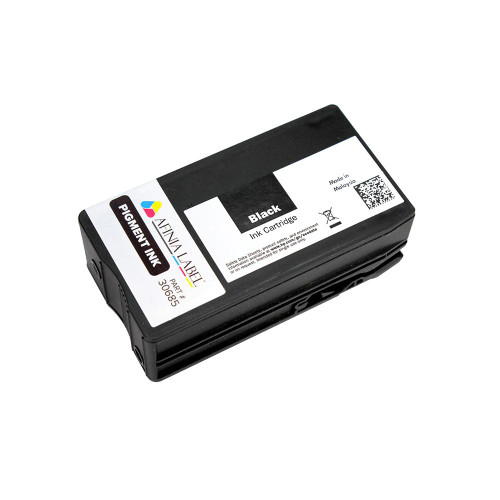
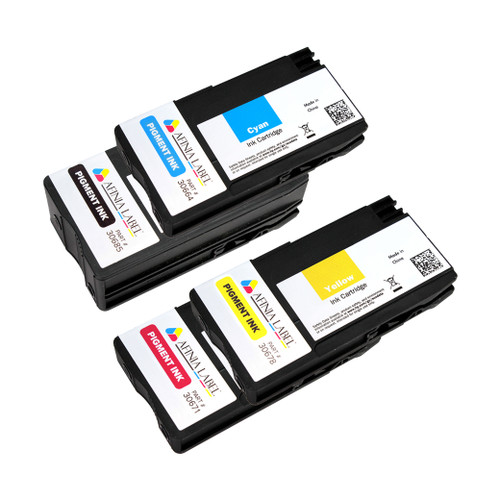
Afinia L502 Pigment Printhead with Full CMYK Pigment Ink Set
Upgrade your label durability with the Afinia L502 Pigment Printhead + 4-Cartridge Pigment Ink Bundle (C/M/Y/K). This genuine kit replaces your current head and inks to deliver water-, chemical-, and UV-resistant output—ideal for industrial, GHS/BS5609, chemical, and outdoor applications. Designed for the L502 platform, pigment mode produces dense blacks, crisp barcodes, and long-lasting color on compatible synthetic media.
Overview
The L502 pigment print head must be used with the matching L502 pigment CMYK ink cartridges. Together, they enable the L502 (and L501 platform) to print durable, compliance-ready labels. You can swap the pigment printhead and inks in for rugged jobs, then switch back to dye mode (with dye head + dye inks) whenever you want maximum color vibrancy for prime or retail labels—using the same printer.
What’s Included
- 1 × Afinia L502 Pigment Printhead
- 4 × L502 Pigment Ink Cartridges — Cyan, Magenta, Yellow, Black
Key Benefits
- Durability for GHS & Industrial: Excellent resistance to water, chemicals, smudging, and UV exposure on compatible media.
- Sharp, Scannable Output: High-density blacks and crisp barcodes/QR codes.
- Flexible Platform: Swap between pigment (durable) and dye (vibrant) by changing the printhead and ink set.
Compatibility & Use
- Printer: Afinia L502 (also used on the L501/L502 platform for pigment mode).
- Ink Requirement: Only use with L502 Pigment Inks. Pigment head must not be mixed with dye inks.
- Media: Best results on pigment-compatible, synthetic and BS5609-capable label stocks.
Typical Applications
- GHS/BS5609 chemical labeling
- Industrial & outdoor labels
- Asset, safety, and compliance
Note: Switching between pigment and dye requires the corresponding printhead and the matching ink set. Always run the printer’s maintenance routine after a swap for optimal quality.