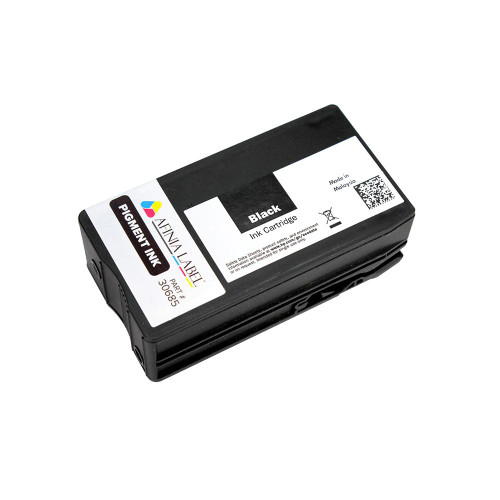
Afinia L502 4-Pack Pigment Ink Cartridge Set (CMYK) — MPN: 36579
The Afinia L502 4-Pack Pigment Ink Cartridge Set (Manufacturer: Afinia Label, MPN: 36579) includes Cyan, Magenta, Yellow, and Black pigment inks engineered for industrial-grade durability. Achieve water, chemical, UV, and abrasion resistance on compatible media while maintaining crisp barcodes, dense blacks, and stable color—perfect for compliance-driven and harsh-environment labeling.
About the Afinia L502 Color Label Printer
The versatile Afinia L502 supports two ink technologies via swappable heads: run pigment inks for maximum durability (GHS/BS5609 workflows), or switch to dye inks for the most vivid, photo-quality color. With the correct printhead and ink set installed, you can tailor the same printer for rugged industrial labeling or premium prime labels. These pigment inks can be used with both the older Afinia L501 and the current L502 (in pigment configuration).
What’s Included
- 1 × Cyan Pigment Ink Cartridge
- 1 × Magenta Pigment Ink Cartridge
- 1 × Yellow Pigment Ink Cartridge
- 1 × Black Pigment Ink Cartridge
When to Choose the L502 Pigment CMYK Set
Use this pigment bundle when labels must endure challenging conditions and remain legible over time:
- GHS/BS5609 chemical drum labels and hazard communication
- Industrial & outdoor asset tags, equipment IDs, rating plates
- Warehouse/logistics labels subject to abrasion and frequent handling
- Healthcare & lab specimens, wipe-down areas, and cold-chain
Compatibility
- Printers: Afinia L501 and L502 (in pigment configuration)
- Ink Type: Pigment — CMYK (Cyan, Magenta, Yellow, Black)
Required Printhead
This CMYK pigment set is only compatible with the L502 Pigment Printhead (Part No. 30993). It is not compatible with the dye printhead/inks. Always match pigment cartridges with the pigment printhead for proper operation and durability.
Key Benefits
- Compliance-ready durability: resistant to water, chemicals, UV, and smudging on suitable media
- Sharp, scannable output: dense barcodes, fine text, and high contrast
- OEM reliability: consistent performance and easy installation
- Cross-platform: works with L501 and L502 (pigment mode)
Notes & Best Practices
- To switch the L502 between pigment and dye, install the corresponding printhead and inks, then run the printer’s maintenance/priming routine for optimal quality.
- For premium shelf appeal and photographic graphics, consider operating in dye mode.