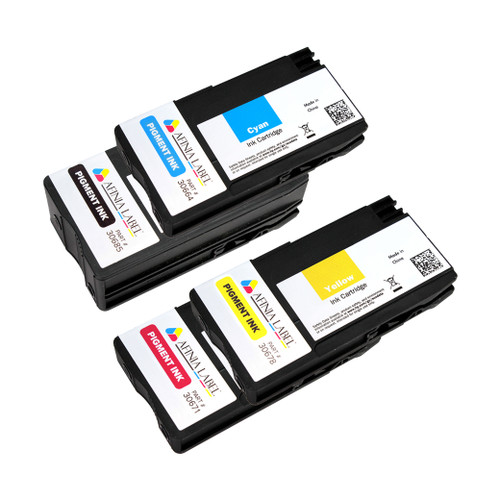
Afinia L502 Black Pigment Ink Cartridge (MPN: 30685)
The Afinia L502 Black Pigment Ink Cartridge (Manufacturer: Afinia Label, MPN: 30685) delivers deep, dense black with industry-leading water, chemical, UV, and abrasion resistance on compatible media. Ideal for industrial, compliance, and outdoor labeling, this OEM pigment cartridge produces crisp text, scannable barcodes, and durable graphics that stand up to harsh environments.
About the Afinia L502 Color Label Printer
The flexible Afinia L502 platform supports two ink technologies via swappable heads: pigment inks for maximum durability (GHS/BS5609 workflows), and dye inks for the most vivid, photo-quality color. Choose pigment when labels face moisture, solvents, sunlight, or heavy handling; swap to dye when premium shelf appeal is the priority—all on the same printer with the correct printhead and ink set.
When to Choose Black Pigment Ink
Use the L502 Black Pigment cartridge for labels that demand long-term readability and compliance:
- GHS/BS5609 chemical drum labels and hazard communication
- Industrial & outdoor asset tags, equipment IDs, and rating plates
- Warehouse/logistics labels exposed to abrasion and frequent handling
- Healthcare/lab specimens, cold-chain, and wipe-down environments
Compatibility
- Printers: Afinia L501 and L502 (in pigment configuration)
- Ink Type/Colour: Pigment — Black
Required Printhead
This cartridge is only for use with the L502 Pigment Printhead (Part No. 36579). It is not compatible with the dye printhead/inks. Always match pigment cartridges with the pigment head for proper operation and durability.
Key Benefits
- Compliance-ready durability: resistant to water, chemicals, UV, and smudging on suitable media
- Sharp, scannable output: dense barcodes, fine text, and high contrast
- OEM reliability: consistent performance and easy installation
- Cross-platform: works with L501 and L502 printers (pigment mode)
What’s Included
- 1 × Afinia L502 Black Pigment Ink Cartridge (MPN: 30685)
Note: To switch your L502 between pigment and dye, install the corresponding printhead and matching ink set, then run the printer’s maintenance/priming routine for optimal quality.